

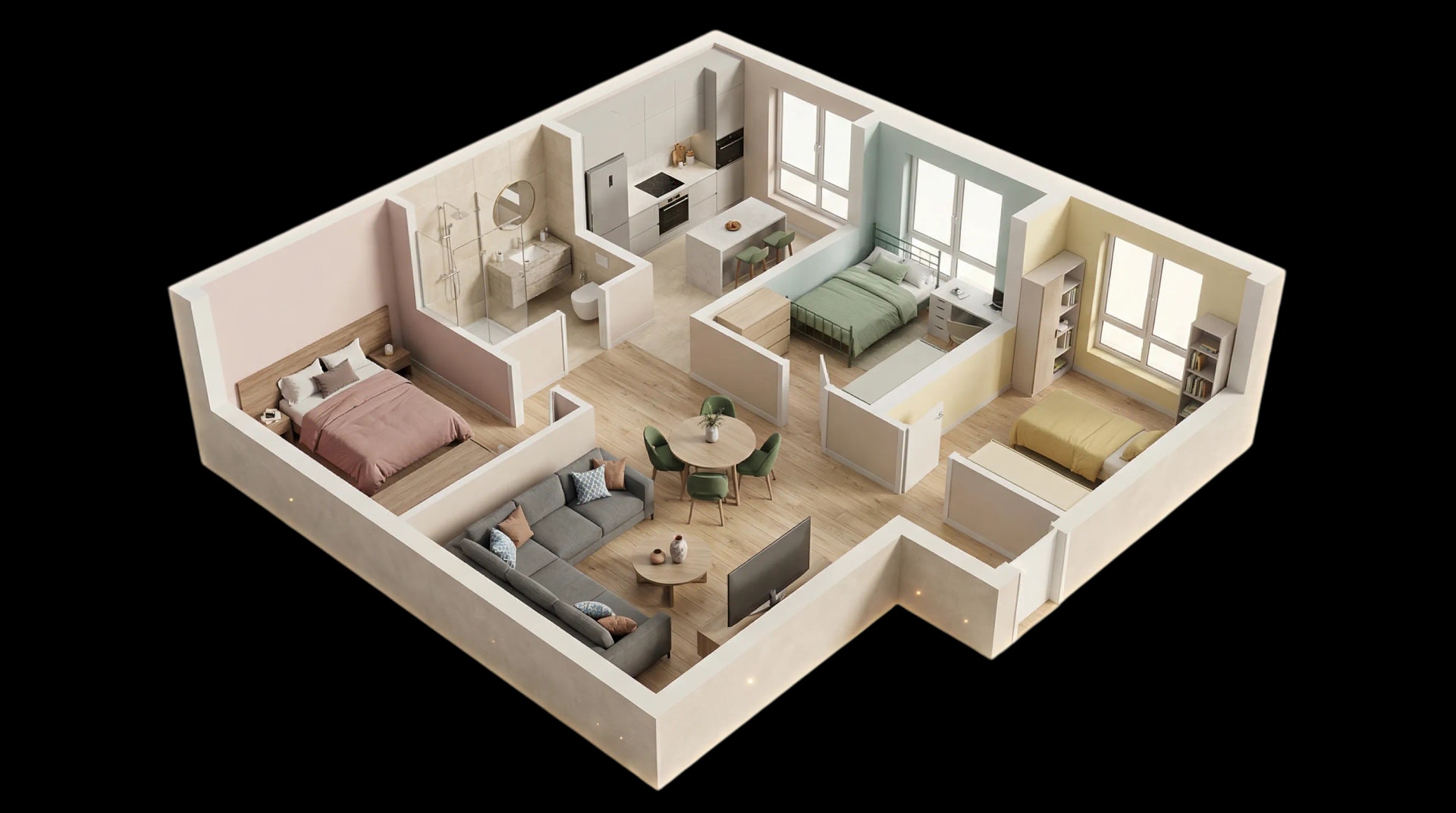
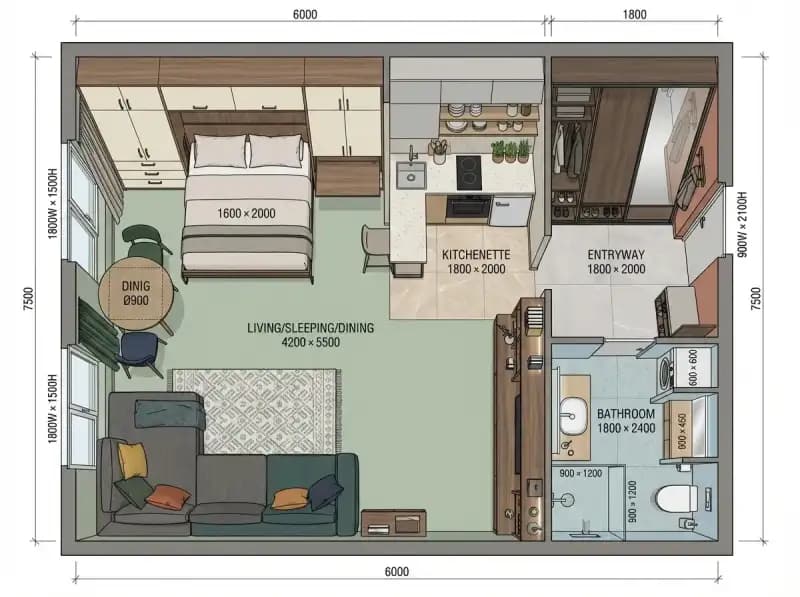


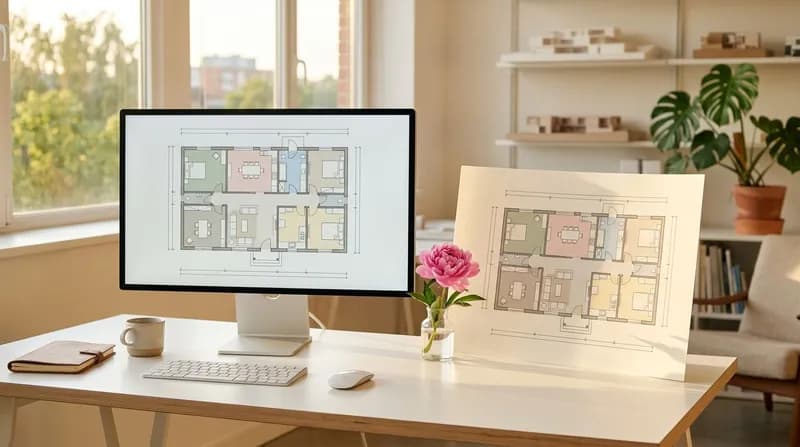
Bid farewell to laborious drafting and swiftly generate professional floor plans. Compliant with international drafting standards, these plans serve directly as project proposals and construction references. From spatial descriptions to deliverable drawings, AI completes the entire design process for you – from concept to realisation.
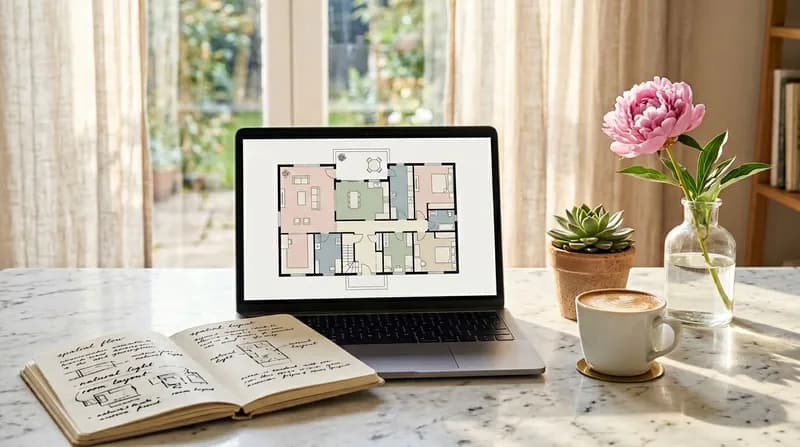
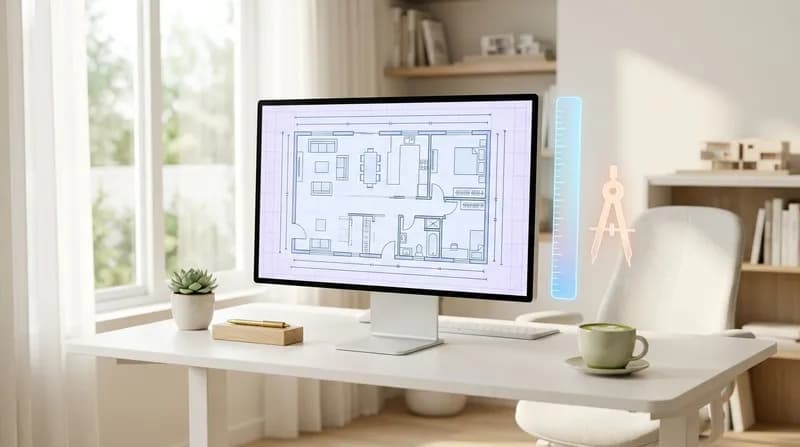
Professional Drafting Standards
Intelligent Space Planning
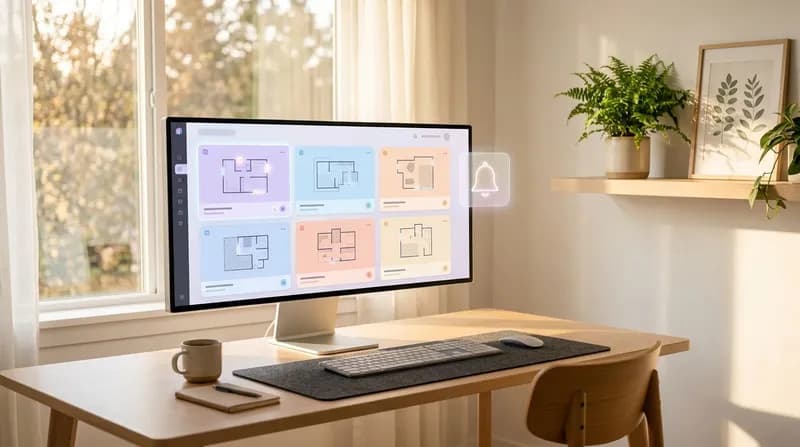
Project-based management
Rapid generation
Powered by Nano Banana
Floor Plan Generator
Workbench
Organise input items by module to ensure clear presentation of standards, dimensions, spatial information and constraints.
加载中...
加载中...
User-generated Content Showcase
Through natural language understanding, the AI Floor Plan Generator transforms users' creative descriptions into professional floor plans, demonstrating formidable generation capabilities.
A compact studio apartment with smart storage solutions and multifunctional furniture
Click to use
A hospital ward with patient rooms, nurse station, and medical equipment storage
Click to use
A library with reading areas, study rooms, and book storage
Click to use
A luxury penthouse with panoramic views, master suite, and rooftop terrace
Click to use
A medical clinic with waiting room, consultation rooms, and treatment area
Click to use
A modern Japanese-style home with tatami rooms, engawa veranda, and zen garden
Click to use
A restaurant layout with dining area, open kitchen, and bar counter
Click to use
A school classroom with flexible seating, storage, and presentation area
Click to use
A senior living apartment with accessible design, common dining, and activity rooms
Click to use
A supermarket layout with aisles, checkout counters, and fresh produce section
Click to use
A tech startup office with collaborative spaces, phone booths, game room, and kitchenette
Click to use
A traditional Chinese courtyard house with multiple rooms arranged around a central garden
Click to use
User Reviews of AI Floor Plan
Hear what users really think about the AI Floor Plan Generator
"
Previously, drawing a floor plan for a three-bedroom, two-living-room property would take at least half a day. Now, with AI Floor Plan, simply describe your spatial requirements and within seconds, it generates a professional floor plan compliant with GB/T 50104 standards. It feels like having an assistant drawing for me – the efficiency boost is remarkable.
Andrew Scott
Architect
"
What truly astonished me was how AI Floor Plan genuinely understood what I wanted. Previously, when clients described their requirements, I'd have to repeatedly verify dimensions and layouts. Now, I simply describe the concept, and it generates several options for the client to choose from. That sense of being understood is truly wonderful, and it's boosted efficiency tremendously.
Carlos Mendoza
Interior Designer
"
During the early stages of a project, multiple proposals need to be swiftly presented to the client. Previously, drafting a single proposal would take a full day, but now with AI Floor Plan, several different layout options can be produced in a short timeframe. The project management functionality is also highly practical; all proposals are archived within a single project, making the entire workflow feel much smoother.
Chen Yifan
Project Architect
"
AI Floor Plan supports multiple drafting standards and rendering styles, lending it a distinctly professional feel. A single floor plan can generate versions in different styles – monochrome for construction drawings, colour for presentations – which is extremely convenient. This flexibility makes me feel this tool truly understands designers' requirements.
David Reynolds
Architectural draughtsman
"
Optimising compact layouts proves particularly practical. AI Floor Plan automatically considers functional zoning and circulation routes, offering more rational layout suggestions. It far surpasses manual adjustments in efficiency and consistently uncovers optimisation points I hadn't considered. That sense of inspiration is truly splendid.
Emma Collins
Spatial Planner
"
The export function of AI Floor Plan is remarkably practical. The generated floor plans can be downloaded directly and are of excellent quality. When clients request proposals, I simply export them and send them over, eliminating the need to spend time redrawing them in CAD. For small studios like ours, it's truly a productivity-enhancing tool that makes things feel much easier.
James Walker
Independent Designer
"
It works equally well for residential and commercial spaces. I've recently used it to create floor plans for several offices and restaurants, and I find it remarkably intelligent – it automatically recognises the intended use of each space and suggests suitable layouts. Particularly for commercial premises, it intelligently excludes unsuitable functions, which is a very welcome feature.
Laura Bennett
Commercial Space Designer
"
When collaborating as a team, each member's proposed solutions are stored within the project, allowing for instant viewing and comparison. Previously, using CAD meant files were passed back and forth haphazardly, but now with centralised management, project progress is crystal clear. It feels like our team collaboration efficiency has been elevated to a whole new level.
Matthew Harris
Head of Design Team
"
What I appreciate most is that it genuinely understands my intentions. I simply describe my spatial requirements, and it accurately interprets them and reflects them in the floor plan. Gone are the days of sketching rough drafts and making repeated revisions; now, I can directly articulate my needs and achieve the desired outcome. This seamless experience is truly delightful.
Nia Johnson
Spatial Planning Consultant
"
This proves particularly useful when comparing design proposals. Multiple variations in distinct styles can be swiftly generated for the same project and archived within the project library. During client discussions, different proposals can be directly retrieved for comparison, significantly increasing the approval rate. Communication with clients now feels considerably smoother.
Noah Peterson
Scheme Architect
"
During the project proposal phase, it is essential to swiftly produce drawings for investors. Previously, outsourcing to design firms meant waiting several days for a single proposal. Now, we can rapidly generate professional floor plans in-house, saving both time and costs. The quality of the generated drawings is also excellent, enabling direct use in project presentations with complete confidence.
Paul Schneider
Property Development Project Manager
"
Following the company-wide implementation, staff productivity has seen a marked improvement. Previously, a designer could produce only a handful of proposals in a day; now they can generate significantly more. Client satisfaction has also risen, as we can swiftly respond to changing requirements and promptly adjust proposals. The return on investment has been highly evident, and it feels as though the company's overall competitiveness has been enhanced.
Ryan Thompson
Chief Executive Officer of an Architectural Design Firm
"
Previously, drawing a floor plan for a three-bedroom, two-living-room property would take at least half a day. Now, with AI Floor Plan, simply describe your spatial requirements and within seconds, it generates a professional floor plan compliant with GB/T 50104 standards. It feels like having an assistant drawing for me – the efficiency boost is remarkable.
Andrew Scott
Architect
"
What truly astonished me was how AI Floor Plan genuinely understood what I wanted. Previously, when clients described their requirements, I'd have to repeatedly verify dimensions and layouts. Now, I simply describe the concept, and it generates several options for the client to choose from. That sense of being understood is truly wonderful, and it's boosted efficiency tremendously.
Carlos Mendoza
Interior Designer
"
During the early stages of a project, multiple proposals need to be swiftly presented to the client. Previously, drafting a single proposal would take a full day, but now with AI Floor Plan, several different layout options can be produced in a short timeframe. The project management functionality is also highly practical; all proposals are archived within a single project, making the entire workflow feel much smoother.
Chen Yifan
Project Architect
"
AI Floor Plan supports multiple drafting standards and rendering styles, lending it a distinctly professional feel. A single floor plan can generate versions in different styles – monochrome for construction drawings, colour for presentations – which is extremely convenient. This flexibility makes me feel this tool truly understands designers' requirements.
David Reynolds
Architectural draughtsman
"
Optimising compact layouts proves particularly practical. AI Floor Plan automatically considers functional zoning and circulation routes, offering more rational layout suggestions. It far surpasses manual adjustments in efficiency and consistently uncovers optimisation points I hadn't considered. That sense of inspiration is truly splendid.
Emma Collins
Spatial Planner
"
The export function of AI Floor Plan is remarkably practical. The generated floor plans can be downloaded directly and are of excellent quality. When clients request proposals, I simply export them and send them over, eliminating the need to spend time redrawing them in CAD. For small studios like ours, it's truly a productivity-enhancing tool that makes things feel much easier.
James Walker
Independent Designer
"
It works equally well for residential and commercial spaces. I've recently used it to create floor plans for several offices and restaurants, and I find it remarkably intelligent – it automatically recognises the intended use of each space and suggests suitable layouts. Particularly for commercial premises, it intelligently excludes unsuitable functions, which is a very welcome feature.
Laura Bennett
Commercial Space Designer
"
When collaborating as a team, each member's proposed solutions are stored within the project, allowing for instant viewing and comparison. Previously, using CAD meant files were passed back and forth haphazardly, but now with centralised management, project progress is crystal clear. It feels like our team collaboration efficiency has been elevated to a whole new level.
Matthew Harris
Head of Design Team
"
What I appreciate most is that it genuinely understands my intentions. I simply describe my spatial requirements, and it accurately interprets them and reflects them in the floor plan. Gone are the days of sketching rough drafts and making repeated revisions; now, I can directly articulate my needs and achieve the desired outcome. This seamless experience is truly delightful.
Nia Johnson
Spatial Planning Consultant
"
This proves particularly useful when comparing design proposals. Multiple variations in distinct styles can be swiftly generated for the same project and archived within the project library. During client discussions, different proposals can be directly retrieved for comparison, significantly increasing the approval rate. Communication with clients now feels considerably smoother.
Noah Peterson
Scheme Architect
"
During the project proposal phase, it is essential to swiftly produce drawings for investors. Previously, outsourcing to design firms meant waiting several days for a single proposal. Now, we can rapidly generate professional floor plans in-house, saving both time and costs. The quality of the generated drawings is also excellent, enabling direct use in project presentations with complete confidence.
Paul Schneider
Property Development Project Manager
"
Following the company-wide implementation, staff productivity has seen a marked improvement. Previously, a designer could produce only a handful of proposals in a day; now they can generate significantly more. Client satisfaction has also risen, as we can swiftly respond to changing requirements and promptly adjust proposals. The return on investment has been highly evident, and it feels as though the company's overall competitiveness has been enhanced.
Ryan Thompson
Chief Executive Officer of an Architectural Design Firm
"
Previously, drawing a floor plan for a three-bedroom, two-living-room property would take at least half a day. Now, with AI Floor Plan, simply describe your spatial requirements and within seconds, it generates a professional floor plan compliant with GB/T 50104 standards. It feels like having an assistant drawing for me – the efficiency boost is remarkable.
Andrew Scott
Architect
"
AI Floor Plan supports multiple drafting standards and rendering styles, lending it a distinctly professional feel. A single floor plan can generate versions in different styles – monochrome for construction drawings, colour for presentations – which is extremely convenient. This flexibility makes me feel this tool truly understands designers' requirements.
David Reynolds
Architectural draughtsman
"
It works equally well for residential and commercial spaces. I've recently used it to create floor plans for several offices and restaurants, and I find it remarkably intelligent – it automatically recognises the intended use of each space and suggests suitable layouts. Particularly for commercial premises, it intelligently excludes unsuitable functions, which is a very welcome feature.
Laura Bennett
Commercial Space Designer
"
This proves particularly useful when comparing design proposals. Multiple variations in distinct styles can be swiftly generated for the same project and archived within the project library. During client discussions, different proposals can be directly retrieved for comparison, significantly increasing the approval rate. Communication with clients now feels considerably smoother.
Noah Peterson
Scheme Architect
"
Previously, drawing a floor plan for a three-bedroom, two-living-room property would take at least half a day. Now, with AI Floor Plan, simply describe your spatial requirements and within seconds, it generates a professional floor plan compliant with GB/T 50104 standards. It feels like having an assistant drawing for me – the efficiency boost is remarkable.
Andrew Scott
Architect
"
AI Floor Plan supports multiple drafting standards and rendering styles, lending it a distinctly professional feel. A single floor plan can generate versions in different styles – monochrome for construction drawings, colour for presentations – which is extremely convenient. This flexibility makes me feel this tool truly understands designers' requirements.
David Reynolds
Architectural draughtsman
"
It works equally well for residential and commercial spaces. I've recently used it to create floor plans for several offices and restaurants, and I find it remarkably intelligent – it automatically recognises the intended use of each space and suggests suitable layouts. Particularly for commercial premises, it intelligently excludes unsuitable functions, which is a very welcome feature.
Laura Bennett
Commercial Space Designer
"
This proves particularly useful when comparing design proposals. Multiple variations in distinct styles can be swiftly generated for the same project and archived within the project library. During client discussions, different proposals can be directly retrieved for comparison, significantly increasing the approval rate. Communication with clients now feels considerably smoother.
Noah Peterson
Scheme Architect
"
What truly astonished me was how AI Floor Plan genuinely understood what I wanted. Previously, when clients described their requirements, I'd have to repeatedly verify dimensions and layouts. Now, I simply describe the concept, and it generates several options for the client to choose from. That sense of being understood is truly wonderful, and it's boosted efficiency tremendously.
Carlos Mendoza
Interior Designer
"
Optimising compact layouts proves particularly practical. AI Floor Plan automatically considers functional zoning and circulation routes, offering more rational layout suggestions. It far surpasses manual adjustments in efficiency and consistently uncovers optimisation points I hadn't considered. That sense of inspiration is truly splendid.
Emma Collins
Spatial Planner
"
When collaborating as a team, each member's proposed solutions are stored within the project, allowing for instant viewing and comparison. Previously, using CAD meant files were passed back and forth haphazardly, but now with centralised management, project progress is crystal clear. It feels like our team collaboration efficiency has been elevated to a whole new level.
Matthew Harris
Head of Design Team
"
During the project proposal phase, it is essential to swiftly produce drawings for investors. Previously, outsourcing to design firms meant waiting several days for a single proposal. Now, we can rapidly generate professional floor plans in-house, saving both time and costs. The quality of the generated drawings is also excellent, enabling direct use in project presentations with complete confidence.
Paul Schneider
Property Development Project Manager
"
What truly astonished me was how AI Floor Plan genuinely understood what I wanted. Previously, when clients described their requirements, I'd have to repeatedly verify dimensions and layouts. Now, I simply describe the concept, and it generates several options for the client to choose from. That sense of being understood is truly wonderful, and it's boosted efficiency tremendously.
Carlos Mendoza
Interior Designer
"
Optimising compact layouts proves particularly practical. AI Floor Plan automatically considers functional zoning and circulation routes, offering more rational layout suggestions. It far surpasses manual adjustments in efficiency and consistently uncovers optimisation points I hadn't considered. That sense of inspiration is truly splendid.
Emma Collins
Spatial Planner
"
When collaborating as a team, each member's proposed solutions are stored within the project, allowing for instant viewing and comparison. Previously, using CAD meant files were passed back and forth haphazardly, but now with centralised management, project progress is crystal clear. It feels like our team collaboration efficiency has been elevated to a whole new level.
Matthew Harris
Head of Design Team
"
During the project proposal phase, it is essential to swiftly produce drawings for investors. Previously, outsourcing to design firms meant waiting several days for a single proposal. Now, we can rapidly generate professional floor plans in-house, saving both time and costs. The quality of the generated drawings is also excellent, enabling direct use in project presentations with complete confidence.
Paul Schneider
Property Development Project Manager
"
During the early stages of a project, multiple proposals need to be swiftly presented to the client. Previously, drafting a single proposal would take a full day, but now with AI Floor Plan, several different layout options can be produced in a short timeframe. The project management functionality is also highly practical; all proposals are archived within a single project, making the entire workflow feel much smoother.
Chen Yifan
Project Architect
"
The export function of AI Floor Plan is remarkably practical. The generated floor plans can be downloaded directly and are of excellent quality. When clients request proposals, I simply export them and send them over, eliminating the need to spend time redrawing them in CAD. For small studios like ours, it's truly a productivity-enhancing tool that makes things feel much easier.
James Walker
Independent Designer
"
What I appreciate most is that it genuinely understands my intentions. I simply describe my spatial requirements, and it accurately interprets them and reflects them in the floor plan. Gone are the days of sketching rough drafts and making repeated revisions; now, I can directly articulate my needs and achieve the desired outcome. This seamless experience is truly delightful.
Nia Johnson
Spatial Planning Consultant
"
Following the company-wide implementation, staff productivity has seen a marked improvement. Previously, a designer could produce only a handful of proposals in a day; now they can generate significantly more. Client satisfaction has also risen, as we can swiftly respond to changing requirements and promptly adjust proposals. The return on investment has been highly evident, and it feels as though the company's overall competitiveness has been enhanced.
Ryan Thompson
Chief Executive Officer of an Architectural Design Firm
"
During the early stages of a project, multiple proposals need to be swiftly presented to the client. Previously, drafting a single proposal would take a full day, but now with AI Floor Plan, several different layout options can be produced in a short timeframe. The project management functionality is also highly practical; all proposals are archived within a single project, making the entire workflow feel much smoother.
Chen Yifan
Project Architect
"
The export function of AI Floor Plan is remarkably practical. The generated floor plans can be downloaded directly and are of excellent quality. When clients request proposals, I simply export them and send them over, eliminating the need to spend time redrawing them in CAD. For small studios like ours, it's truly a productivity-enhancing tool that makes things feel much easier.
James Walker
Independent Designer
"
What I appreciate most is that it genuinely understands my intentions. I simply describe my spatial requirements, and it accurately interprets them and reflects them in the floor plan. Gone are the days of sketching rough drafts and making repeated revisions; now, I can directly articulate my needs and achieve the desired outcome. This seamless experience is truly delightful.
Nia Johnson
Spatial Planning Consultant
"
Following the company-wide implementation, staff productivity has seen a marked improvement. Previously, a designer could produce only a handful of proposals in a day; now they can generate significantly more. Client satisfaction has also risen, as we can swiftly respond to changing requirements and promptly adjust proposals. The return on investment has been highly evident, and it feels as though the company's overall competitiveness has been enhanced.
Ryan Thompson
Chief Executive Officer of an Architectural Design Firm
How the AI Floor Plan Generator Works
Bid farewell to hours of manual drafting in traditional CAD. AI-powered solutions transform creative concepts into commercial-grade floor plans within seconds, ready for immediate use in project proposals and construction delivery.
1
Intelligent Parameter Configuration
Through the project management interface, configure professional parameters such as drafting standards (ISO 128, AIA/NCS, GB/T 50104), scale, and architectural style. The system intelligently interprets your configuration intent, automatically generating industry-compliant professional instructions to ensure every output drawing adheres to commercial drafting standards and is ready for project delivery.
2
Natural Language Understanding
Describe your spatial requirements in plain language, and our AI model will employ multimodal understanding technology to deeply analyse your design intent. No need to master complex software—simply voice your ideas, and the AI will comprehend key information such as building purpose, room functions, and area constraints. It will automatically apply domain expertise to swiftly transform your creative vision into an actionable design proposal.
3
AI Generation and Delivery
Click 'Generate' and the AI completes the entire process from concept to commercial drawings within seconds. Say goodbye to hours of traditional CAD drafting time. The generated results automatically apply multiple rendering style combinations and support real-time task status tracking. Upon completion, preview and download high-quality floor plan files for direct use in project proposals, client presentations and construction references, enabling swift realisation of your vision.
Key Features of the AI Floor Plan Generator
Free trial available. Rapid generation of floor plans from text input. Features an integrated floor plan optimiser, supports high-quality rendering, and enables one-click export and download, bringing your creative vision to life swiftly.
Text to floor plan
Describe spatial requirements in natural language, and AI will deeply comprehend design intent to rapidly generate professional floor plans. No need to master complex software—simply voice your ideas to obtain precise drawings compliant with international drafting standards such as ISO 128, AIA/NCS, and GB/T 50104, enabling swift realisation of your creative vision.
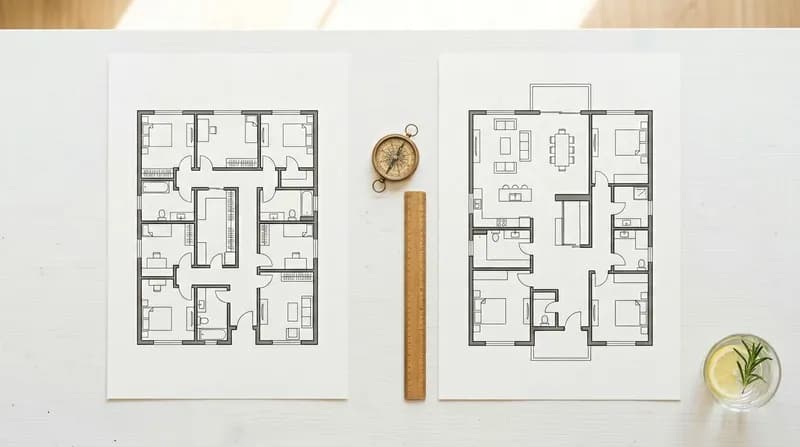
Floor Plan Optimizer
Featuring an integrated AI floor plan optimiser, it intelligently analyses spatial layouts to automatically refine room configurations, functional zoning and circulation patterns. This ensures designs meet both practical requirements and aesthetic considerations, swiftly transforming creative concepts into actionable solutions.
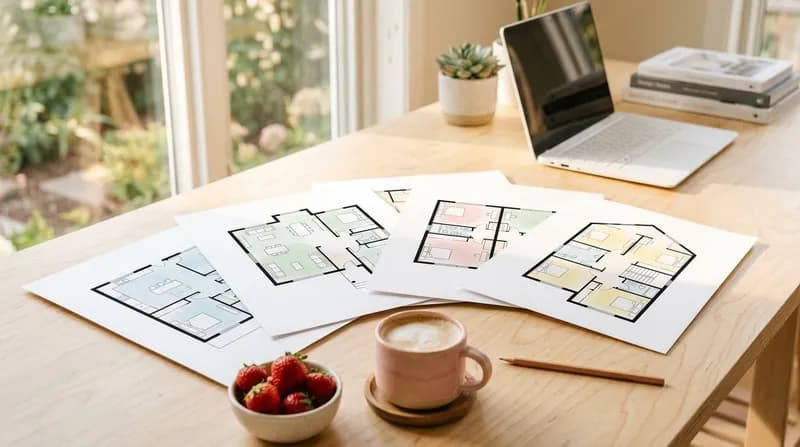
Free and rapid generation
Free trial: Say goodbye to hours spent drafting with traditional CAD. AI completes the entire process from concept to commercial drawings in seconds, significantly boosting design efficiency. This allows you to focus on refining your proposals rather than repetitive drafting tasks.

Project-based management
A comprehensive project management system supporting multiple concurrent projects, historical scheme preservation, and design comparison analysis. Integrated with an AI floor plan editor, it enables the generation of floor plans from images, making workflows more efficient and orderly.
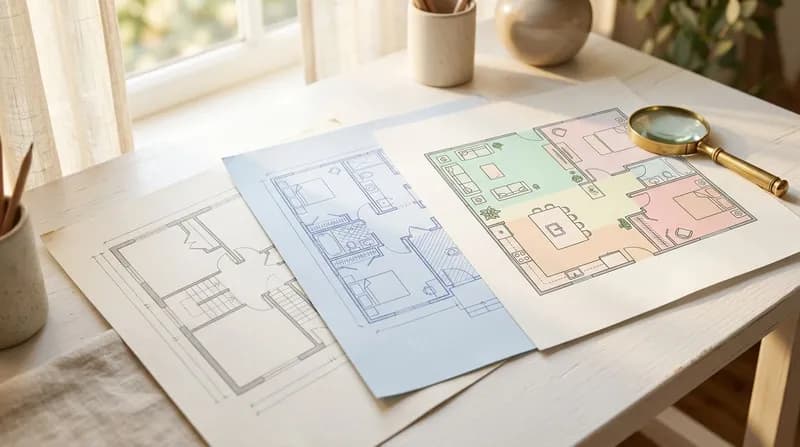
High-quality rendering
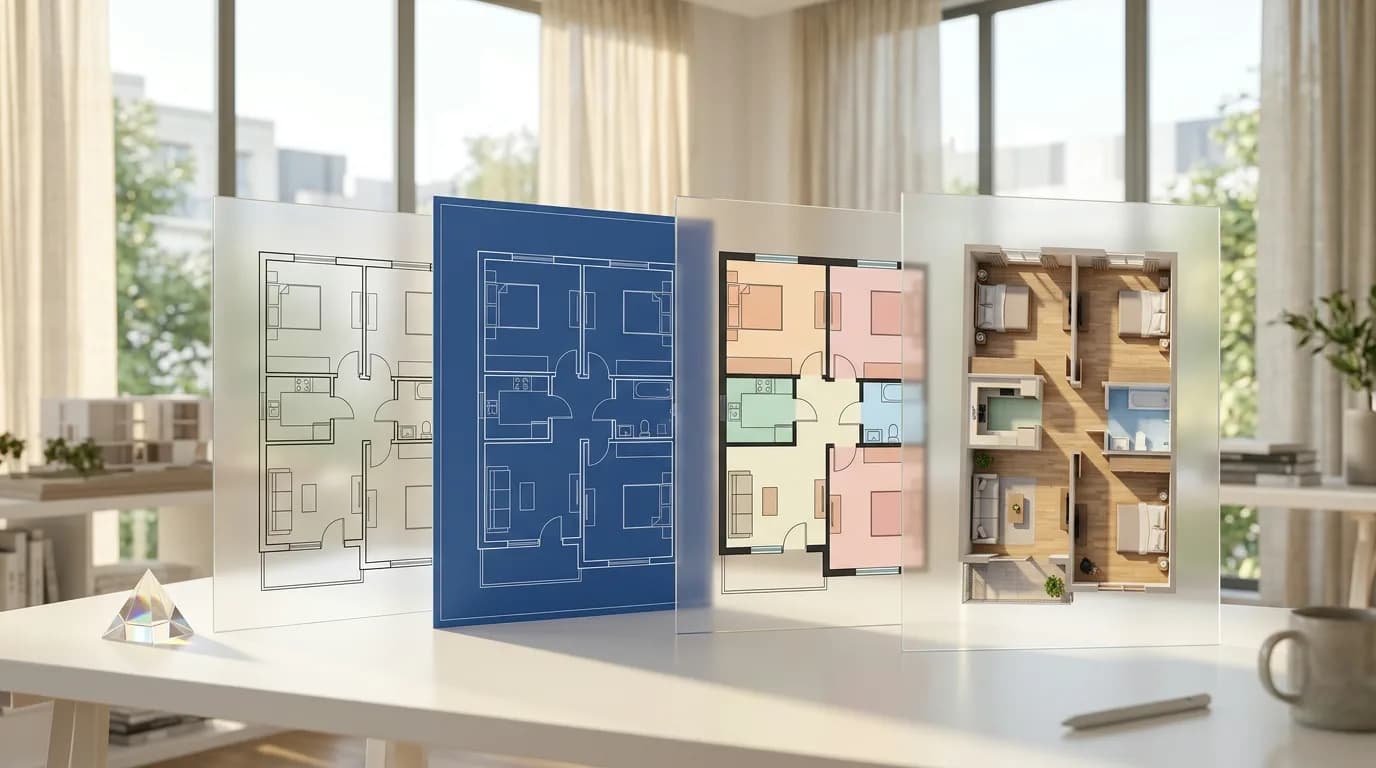
Supports multiple rendering styles, from monochrome CAD and high-contrast blueprints to modern minimalist aesthetics, generating high-quality visualised floor plans to meet diverse project requirements and client preferences, thereby enhancing delivery efficiency.
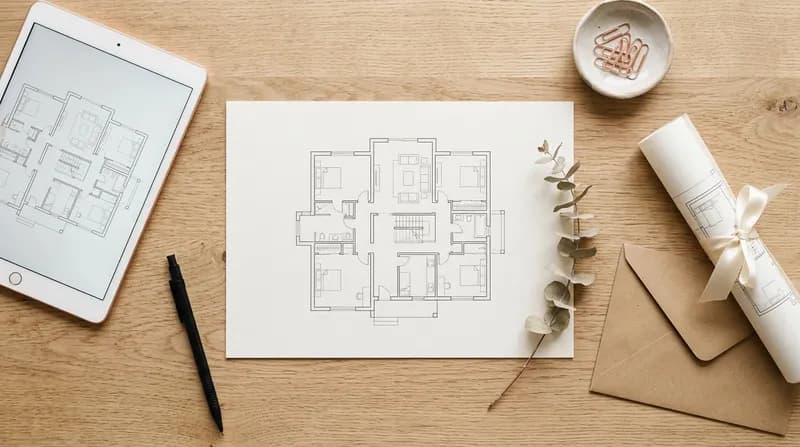
One-click export and download
Upon completion of generation, export and download high-quality floor plan files with a single click. These files comply with international drafting standards and can be directly utilised for project proposals, client presentations, and construction reference. Supporting multiple modes, they require no secondary processing, enabling swift realisation of creative concepts.
Use Cases for the AI Floor Plan Generator
Suitable for architects, interior designers, property developers and other professionals, AI-empowered design workflows comprehensively enhance design efficiency and professional standards from conceptual design through to commercial delivery.
Conceptual Design for Architectural Proposal
During the schematic design phase, architects describe spatial requirements and functional specifications in natural language, enabling AI to rapidly generate professional floor plans compliant with international drafting standards such as ISO 128, AIA/NCS, and GB/T 50104. The system supports diverse building types—including detached villas, terraced houses, high-rise apartments, and open-plan layouts—swiftly presenting multiple conceptual schemes for comparative evaluation.Inputting "120 square metre three-bedroom, two-living-room layout with master bedroom suite featuring en-suite bathroom, open-plan living/dining area, and consideration for north-south ventilation" enables the AI to generate a complete floor plan compliant with building codes. This includes functional zoning, circulation organisation, and spatial scale relationships, freeing designers from tedious CAD drafting to focus on conceptual creativity and spatial quality enhancement.
Functional Planning of Interior Spaces
Interior designers input spatial constraints and functional requirements, whereupon AI intelligently analyses and automatically optimises room layouts, functional zoning, and circulation design. The system autonomously identifies building usage and applies domain-specific expertise (e.g., excluding bedroom functionality for non-residential purposes, optimising spatial configuration for studio apartments), ensuring designs fulfil functional needs while maintaining spatial aesthetics.For a compact flat design brief—"35 square metres, one bedroom and one living room, requiring a separate kitchen and wet/dry separated bathroom with maximised storage space"—the AI automatically optimises spatial configuration. This ensures complete functionality and maximised space utilisation, adhering to ergonomic scale requirements. Designers can thus bypass the tedious process of repeatedly adjusting layouts, swiftly obtaining the optimal solution.
Compliant output to drafting standards
AI automatically generates professional drawings compliant with international architectural drafting standards, incorporating standardised symbols for architectural components such as doors, windows, and staircases, with dimensions, room functions, and legend descriptions automatically annotated.The generated floor plans automatically incorporate standardised door and window symbols, dimension annotations, room names, and area markings. Compliant with ISO 128 drafting standards, the drawings feature clear and standardised representation. They are ready for immediate use in design presentations, client showcases, and as reference for construction drawing development, eliminating the need for secondary drafting and meeting commercial delivery standards. This solution liberates designers from repetitive manual annotation tasks, ensuring professional quality and consistency in drawing output.
Intelligent optimisation of spatial layout
Utilise the AI Floor Plan Optimizer to analyse existing spatial layouts, identify wasted space and functional conflicts, and automatically optimise room configurations, functional zoning, and circulation design. Upon analysing an existing 80-square-metre two-bedroom, one-living-room layout, the AI identified issues such as inefficient circulation space and poor kitchen-to-dining room flow. It automatically optimised the layout into a more efficient spatial configuration, enhancing space utilisation by over 15% and improving spatial quality.The system generates optimisation proposals, ensuring designs meet functional requirements while maintaining spatial aesthetics. This elevates spatial efficiency and design quality, empowering designers to unlock greater potential within constrained spaces.
Multi-style Professional Rendering
Supports rendering in multiple commercial drafting styles, from monochrome CAD line drawings and high-contrast blueprints to modern minimalist aesthetics, generating high-quality visualised floor plans.A single set of floor plans can generate: - Black-and-white CAD line art for construction reference; - Colourful modern styles for scheme presentations; - High-contrast blueprint styles for design comparisons. This single generation delivers multiple visual representations, meeting diverse design phase requirements. Automatically applies multiple rendering style combinations (colour schemes × perspective dimensions) to satisfy varying project needs and client preferences. This enhances delivery efficiency and professional image, enabling designers to generate once for multi-scenario application, significantly boosting productivity.
Project-based Solution Management
A comprehensive project management system supporting multiple concurrent projects, historical proposal archiving, and design comparison analysis. AI generates multiple floor plan layouts within seconds, producing 3-5 distinct layout options for each project (traditional, open-plan, compact configurations, etc.). These are archived within the project repository for client proposal comparison discussions, enabling rapid iterative refinement and significantly enhancing proposal approval rates.Designed for proposal presentations and iterative refinement, this system streamlines the design workflow, enhances team collaboration and proposal optimisation, and elevates client satisfaction. It liberates designers from disorganised proposal management, enabling fully digitalised project management throughout the entire process.
The AI Floor Plan Generator is Trusted by Hundreds of Thousands of Designers.
Join the world's most active AI floor plan generator community
Monthly active users 200K+ Users of the AI Floor Plan Generator
Generated floor plans 5,000+ Daily generated floor plan schemes
User Rating 4.9 AI Floor Plan Generator Average Quality Score
Frequently Asked Questions
Frequently Asked Questions Regarding the AI Floor Plan Generator
Any further questions? Please feel free to email us.
1
What problems can the AI Floor Plan Generator solve for me?
Whether you are an architect, interior designer, estate agent, or a homeowner planning your new property, this tool enables you to swiftly transform spatial concepts into professional floor plans. Without the need to master complex CAD software, simply describe your requirements in plain language to obtain industry-standard floor plans within seconds, significantly enhancing design efficiency and communication effectiveness.
2
Can the generated floor plans be used directly for commercial projects?
Absolutely. You possess full commercial rights to utilise all floor plans generated by this tool, which may be directly employed in client proposals, project tenders, marketing materials, property showings, construction references, or any other commercial context. The generated drawings comply with international architectural drafting standards, supporting mainstream specifications such as ISO 128, AIA/NCS, and GB/T, thereby meeting professional project requirements.
3
Do I need to have a background in architectural design to use it?
Not required. This tool is specifically designed to lower the design threshold, employing advanced natural language understanding technology. Simply describe your spatial requirements in everyday language (such as "three bedrooms, two living areas, master bedroom with en-suite bathroom"), and the AI will automatically generate professional floor plans. Whether you're a design novice or a seasoned professional, it's easy to get started.
4
What advantages does it offer compared to traditional CAD software?
Traditional CAD requires weeks of learning curves and line-by-line drafting, whereas the AI Floor Plan Generator employs an 'intent-driven' approach that boosts design efficiency by tens of times. You focus on creative expression and requirements, while the AI handles technical implementation, allowing design to return to its essence. It also supports modern workflows such as project-based management, version comparison, and multi-device access, making it better suited to fast-paced design environments.
5
How can one ensure that the generated floor plans meet professional standards?
This tool strictly adheres to international architectural drafting standards, supporting mainstream specifications including ISO 128, AIA/NCS CAD Layers, and GB/T 50104. The generated drawings incorporate a standardised layer hierarchy, compliant dimensional annotations, and professional symbol systems, rendering them directly applicable for conceptual design, client presentations, and preliminary construction reference. All dimensions are expressed in millimetres, meeting architectural drafting precision requirements.
6
What types of spatial designs can be generated?
Supports multiple spatial types including residential, commercial, and office spaces, encompassing flats, villas, offices, retail premises, restaurants, and more. You may precisely control layouts through parameters such as room count, functional zoning, and area constraints, with AI intelligently generating optimal spatial solutions tailored to your requirements.
7
How to manage multiple design proposals?
Supports comprehensive project management functionality. You may create multiple projects, each capable of storing numerous design schemes for convenient comparison of different layout options. All generation histories, task statuses, and preview images are preserved within your project library, enabling instant viewing, downloading, and sharing to enhance design workflow efficiency and organisation.
8
What is the precision and accuracy of the generated drawings?
The generated floor plans exhibit high-precision scale accuracy and dimensional precision. Dimensioning adheres to the closed-loop principle of architectural drafting, ensuring consistency within dimension chains. All annotations employ standard CAD formats in millimetres, meeting professional drafting requirements. For scenarios requiring precise construction, it is advisable to have final verification conducted by a qualified architect prior to commencement of works.
9
Is my design data secure?
We rigorously safeguard user privacy and data security. All your design data, input parameters, and generated drawings are stored within your private project library and will not be disclosed, shared, or utilised for any other commercial purposes. All data transmission employs industry-standard encryption protocols to ensure information security.
10
On which devices can it be used?
Fully responsive design, supporting all devices including desktop computers, tablets and mobile phones. Whether you're in the office, on a construction site or in a café, you can access and generate floor plans anytime. Compatible with major browsers such as Chrome, Firefox, Safari and Edge, with no software installation required.
11
Which languages and annotations are supported?
Supports room names and dimension annotations in over 20 languages, including Chinese (Simplified/Traditional), English, Japanese, Korean, French, German, Spanish, Portuguese, Italian, Russian, Arabic, and more, catering to international project requirements. Annotations utilise standard CAD fonts to ensure professionalism and legibility.
12
How long does it take to generate a floor plan?
Typically, generation takes only seconds to minutes, with the exact duration depending on design complexity. Compared to traditional CAD software requiring hours or even days of manual drafting, the AI Floor Plan Generator boosts design efficiency by a factor of tens. You can monitor generation progress in real time, preview and download the finished product immediately, significantly shortening project timelines and freeing up more time to focus on creativity and scheme optimisation.
Didn't find the answer you were looking for? Please contact our customer service team at [email protected]
Start Using the AI Floor Plan Generator
Experience professional-grade floor plan generation immediately, making design simpler and more efficient.